
Perplexity - Ask Anything
PerplexityAIProductivity
4.615.56K Reviews
- Version
- 2.104.0
- Installs
- 100.00M
- Age Rating
- Teen
Screenshots




Our Review of Perplexity - Ask Anything
 Analysis by Appyee
Ever found yourself in a situation where you just need a quick answer? Whether it's about the best coffee spot nearby or the latest tech gadget, Perplexity - Ask Anything is here to save the day. I’ve been putting this app through its paces, and let me tell you, it’s like having a pocket genius ready to tackle any query you throw at it.
Getting Started with Perplexity
Diving into Perplexity - Ask Anything is as intuitive as it gets. Once you download and fire up the app, you’re greeted with a clean and simple interface. No clutter, just a search bar inviting you to type or speak your question. The app’s design is straightforward, which is great because who wants to wrestle with a confusing app when they’re on a quest for knowledge?
Signing up is optional, but creating an account can enhance your experience by personalizing the responses. It's pretty seamless, and you’re not bombarded with requests to share all your personal data, which is a refreshing change.
The Search Experience
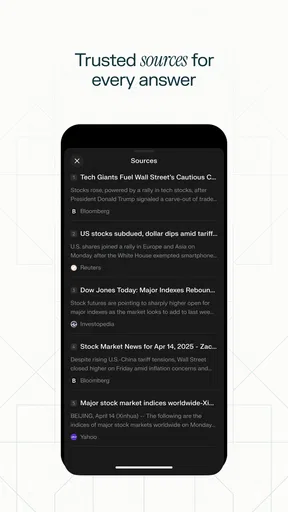
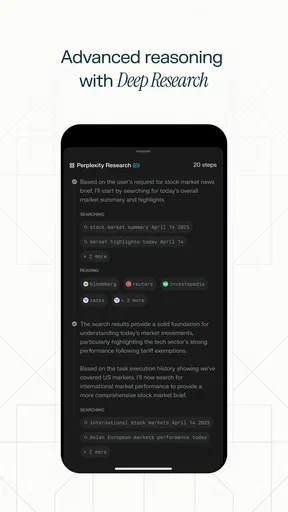
Let’s talk about the heart of the app: its search capability. You type in a question, and bam! Perplexity delivers concise, well-researched answers. The responses are not just from one source; it aggregates data from multiple reputable sites. It’s like having a well-read friend who can pull facts out of thin air.
And for those of us who love to multitask, the voice search feature is a game changer. Just speak your question, and Perplexity gets to work. It’s fast and surprisingly accurate, even if my accent sometimes throws other apps for a loop.
Extra Features Worth Exploring
One of the neat features I stumbled upon was the app’s ability to save past questions. This is super handy if you’re like me and tend to forget what you searched for five minutes ago. You can revisit previous queries without having to type them all over again.
Another cool aspect is the app’s integration with other platforms. You can easily share answers with friends via social media or messaging apps. It’s perfect for those times when you need to prove a point in a group chat!
Performance and Usability
In terms of performance, Perplexity is a smooth operator. The app is responsive, and I didn’t experience any lag or crashes during my use. It’s lightweight, so it doesn’t hog your device’s resources, which is a relief for anyone running low on storage or RAM.
The usability aspect is top-notch. The app is designed with the user in mind, making navigation a breeze. It’s clear that the developers prioritized user experience, which is always a big plus in my book.
Final Thoughts
Overall, Perplexity - Ask Anything is a fantastic tool for anyone who values quick, reliable information. Whether you’re a student cramming for exams or just someone who’s curious about the world, this app has got your back. It’s like carrying a library in your pocket, ready to assist whenever curiosity strikes.
So, if you’re tired of sifting through pages of search results or just want a reliable companion for your inquiries, give Perplexity a whirl. It might just become your new favorite app!
Privacy and Permissions
See what permissions an app requests and how it handles your data.
- Calendar
- read calendar events plus confidential information, add or modify calendar events and send email to guests without owners' knowledge
- Contacts
- read your contacts
- Location
- approximate location (network-based), precise location (GPS and network-based)
- SMS
- read your text messages (SMS or MMS), send SMS messages
- Phone
- directly call phone numbers
- Photos/Media/Files
- read the contents of your USB storage, modify or delete the contents of your USB storage
- Storage
- read the contents of your USB storage, modify or delete the contents of your USB storage
- Camera
- take pictures and videos
- Microphone
- record audio
- Wi-Fi connection information
- view Wi-Fi connections
- Other
- view network connections, full network access, change your audio settings, run at startup, prevent device from sleeping, set an alarm, Google Play license check
How Perplexity - Ask Anything Compares
Full ComparisonChoose Google Assistant for voice commands and smart-home control, ChatGPT for flexible conversation and creation, or Perplexity for answers designed to be grounded in sources.
| App | Developer | Rating | Price |
|---|---|---|---|
 Google Assistant | Google LLC | 3.9 | Free |
 ChatGPT | OpenAI | 4.8 | Free |
 Perplexity - Ask AnythingThis App | PerplexityAI | 4.6 | Free |
Verdict
Strengths of Perplexity - Ask Anything
- Intuitive and user-friendly interface.
- Wide range of topics covered.
- Fast response time to queries.
- No account setup required.
- Supports voice and text inputs.
Limitations of Perplexity - Ask Anything
- Occasional irrelevant answers.
- Requires internet connection.
- Limited personalization options.
- No offline mode available.
- Some ads may interrupt usage.
Similar Picks in This Category
View All
Google Calendar
Google LLC4.6

Google Drive
Google LLC4.3

Google Assistant
Google LLC3.9

Microsoft OneDrive
Microsoft Corporation4.6

Samsung Calendar
Samsung Electronics Co., Ltd.4.1

Microsoft OneNote: Save Notes
Microsoft Corporation4.6
Frequently Asked Questions
What is Perplexity - Ask Anything?
Perplexity - Ask Anything is an interactive app designed to provide users with instant answers to a wide range of questions. Utilizing advanced AI technology, it offers quick and reliable information on various topics, making it a valuable tool for students, professionals, and curious minds seeking knowledge.
How does Perplexity ensure the accuracy of its answers?
Perplexity employs cutting-edge AI algorithms that pull data from reputable sources to ensure accuracy. The app continuously updates its database, cross-referencing information to provide the most up-to-date and reliable answers. However, users are encouraged to verify critical information independently.
Is Perplexity - Ask Anything free to use?
Perplexity offers a free version with basic features, allowing users to ask a limited number of questions. For an enhanced experience with unlimited queries and additional features, a premium subscription is available. This ensures users can choose a plan that best suits their needs.
Can Perplexity be used offline?
Currently, Perplexity requires an internet connection to function effectively as it relies on real-time data retrieval. While offline capabilities are limited, future updates may include offline features for accessing previously searched information or commonly asked questions.
Is Perplexity compatible with both Android and iOS devices?
Yes, Perplexity is designed to be fully compatible with both Android and iOS platforms. This ensures that users on a wide range of devices can enjoy the app's features seamlessly, providing a consistent and user-friendly experience across different operating systems.
